She made it from her couch. Filmed reference videos on her phone. The AI did the rest.
top of page
AI Courses · Viral AI Character
How to make a
viral AI character
The exact 9-step playbook behind the dancing squirrel that hit 10M views in 30 days. Character design, rendering, lipsync, motion, and posting strategy. Every step is the actual workflow Tracy used to ship it.
One-time
$27
Lifetime access
9-step guide
All prompts + templates
7-day money-back

@squirreling.around
10M
Views / 30 Days
Top video
--
--
Likes
--
The receipts
10M views in 30 days. One squirrel.
This is the same workflow Tracy teaches in the course. Shipped on her TikTok account @squirreling.around. Same character, different scenes, compounding reach.

@squirreling.around
--
Views
--
Likes

@squirreling.around
--
Views
--
Likes

@squirreling.around
--
Views
--
Likes
10M
Views in 30 Days
across all videos
--
Top single video views
one character, one clip
--
Likes
top video alone
9
Steps to ship yours
Same playbook, your character
How it started
No animation background. No production team. No expensive software.
Just Tracy with an AI video tool, prompts she figured out through trial and error, and a willingness to perform badly on camera so a cartoon squirrel could do it better.
This course is the whole process. Character creation, Pixar-style rendering, lipsync, motion, and the part most guides skip: what actually goes viral.
The whole setup
01
A couch
Living room. Lights on.
02
A phone
Acting. Badly. On purpose.
03
A squirrel
10M views in 30 days.
No studio. No team. No excuses.
By the end
You'll ship a character that people actually share
A finished AI character
Designed, rendered Pixar-style, and ready to post from day one.
All prompts, reusable
The exact prompts for character design, scenes, lipsync, and captions. Plug in your character, run it again.
A viral-ready first video
Lipsync, motion, music, caption. A full video ready for your feed.
Tool stack walkthrough
Which AI tools Tracy uses (and skips) for each step. No paid software required for most of it.
The posting playbook
Hooks, formats, posting cadence, and what Tracy has seen convert to shares.
A repeatable format
The workflow is reusable. Post 2, post 10, post a whole series. Same template every time.
01
What you're about to learn
5 min
Course overview and the end result you're building toward.
02
What you need
10 min
The full tool stack plus which free vs paid plan to pick.
03
Pick your character
15 min
How to brainstorm the right animal for your target audience using AI.
04
Generate your character image
20 min
How to generate a Pixar-style 3D character image, with a fill-in-the-blank prompt template.
05
Record your reference video
10 min
How to record reference videos that become natural character animations.
06
Animate your character
15 min
How to make your character dance, lip-sync, and react. A trick for fixing stiff animations.
07
Polish it up (optional)
10 min
How to add captions, zoom effects, and text overlays that make videos more shareable.
08
What actually goes viral (and what doesn't)
25 min
Real data on what gets shared: formats, sounds, and video length that drive the numbers up.
09
Quick start checklist
5 min
The full go-do list. Read it in one sitting, ship your first video by tonight.
The 9 Steps
The full curriculum
Nine step-by-step chapters. Each one covers a single part of the workflow, with prompts, templates, and screenshots to follow along.
Qualification
Who this is (and isn't) for
Built for you if
You create content and want a repeatable format that actually performs.
You've tried AI video tools and your stuff looks like AI slop.
You're a solo creator, small brand, or marketer who wants to move fast.
You can follow a video and paste a prompt. That's the bar.
Skip if
You want a guarantee of going viral. (No course can promise that. Not Tracy's, not anyone's.)
You want traditional 3D animation training. This is AI-native.
You don't want to ever post what you make. The posting strategy is half the value.
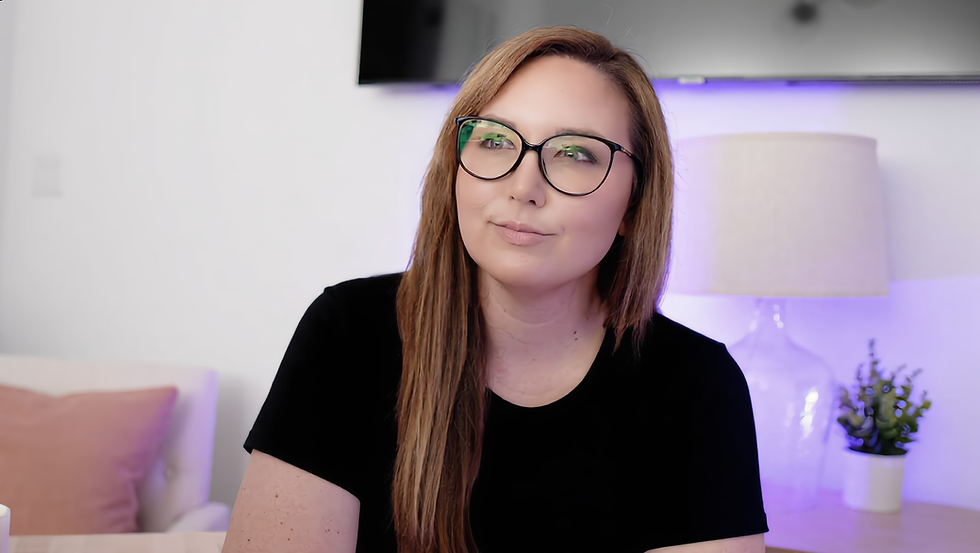
Your instructor
Tracy | That AI Putzing Girl
Tracy built her own TikTok account, @squirreling.around, using this exact workflow. Dancing squirrel, -- views, -- likes, -- shares on the top video, and a format she's now repeated multiple times. Everything in this course is the actual workflow she runs every time she ships to Squirreling Around.
One-time payment · Lifetime access
Enroll in How to Make a Viral AI Character
$27
one-time payment
Self-paced 9-step guide
Every prompt used, copyable
Tool stack walkthrough
Video polishing tips + posting strategy
Course group chat for support and community
Lifetime access + updates
7-day money-back guarantee
Instant access in member portal
The guarantee
Read the first chapter. If the course doesn't work, we make it right.
Seven days to decide. Haven't opened the library? Full refund, one email to support@thataiputzinggirl.com. Already dug in? Send us what you tried and we'll review in 2 business days for a refund or store credit. Read the full refund policy →
7
Day refund
Buy with confidence
Questions, answered
What format is the course in?
A step-by-step written guide with prompts, templates, and screenshots. Not a video course. Read it in one sitting and you'll have a character dancing by tonight.
Do I need a design background?
No. The entire workflow is prompt-driven. If you can type and click, you can follow along.
What if I have zero followers?
Tracy started her squirrel account at zero. The algorithm doesn't care about your follower count. It cares whether people rewatch and share. The course covers both.
Which AI tools do I need and how much do they cost?
A free AI chatbot and an AI video tool. The free tiers work for most steps. If you want the paid animation tier, it's around $10/month. Total beyond the $27: $0 to $10/month, depending on the plan you pick.
Will this work with any animal, or just a squirrel?
Any animal. Tracy used a squirrel. The example character in the course is a hamster, chosen specifically to show the process works across species. Pick whatever you think is fun.
Can I use this for a brand, not just personal content?
Yes. The workflow works for brand mascots, product characters, and recurring content formats. Many creators use this for both personal and client work.
How long will it take me?
Around 2 hours from zero to a finished first video. The guide reads in one sitting. The rest of the time is spent actually building.
Will I actually go viral?
No course can promise virality. What this one promises: a character and video good enough to compete. It's the same workflow that produced 10M views in 30 days on Tracy's Squirreling Around TikTok account.
Can I get a refund?
Seven days. Full refund if you haven't opened the guide. After you've started, send us what you tried and we'll review for a refund or store credit. Email support@thataiputzinggirl.com with 'Refund request' in the subject to start.
Won't AI characters stop working once everyone's doing it?
AI characters are a durable format. The tools keep improving every month. Creators who build characters and audiences now will be ahead when AI video hits the mainstream.
Is this updated when tools change?
Yes. AI tools change fast. Course updates are included for life. No re-buying.
Last call
Build the character.
Post the video.
Legal & disclaimers
By visiting this page, you agree to Terms of Service, Privacy Policy, Refund Policy, and Earnings Disclaimer.
This site is not a part of or endorsed by TikTok, YouTube, Meta (Facebook or Instagram), X, LinkedIn, or any other social platform. All trademarks are the property of their respective owners.
The view counts, follower counts, engagement figures, earnings, and results shown on this landing page and discussed in the How to Make a Viral AI Character course are our own, and in some cases those of previous or existing students. Please understand these results are not typical. We're not implying you'll duplicate them (or do anything for that matter). The average person who buys "how to" information gets little to no results. We're using these references as examples only. Your results and any earnings will vary and depend on many factors including but not limited to your background, experience, niche, work ethic, and consistency.
The course teaches workflows that use third-party AI tools and social platforms. Platform algorithms, tool capabilities, and audience behavior change frequently. We make no claims about the accuracy, completeness, or guaranteed performance of any technique, tool, or strategy described in the course.
All creative work entails risk as well as consistent effort and action. If you're not willing to accept that, please DO NOT PURCHASE THE HOW TO MAKE A VIRAL AI CHARACTER COURSE.
bottom of page